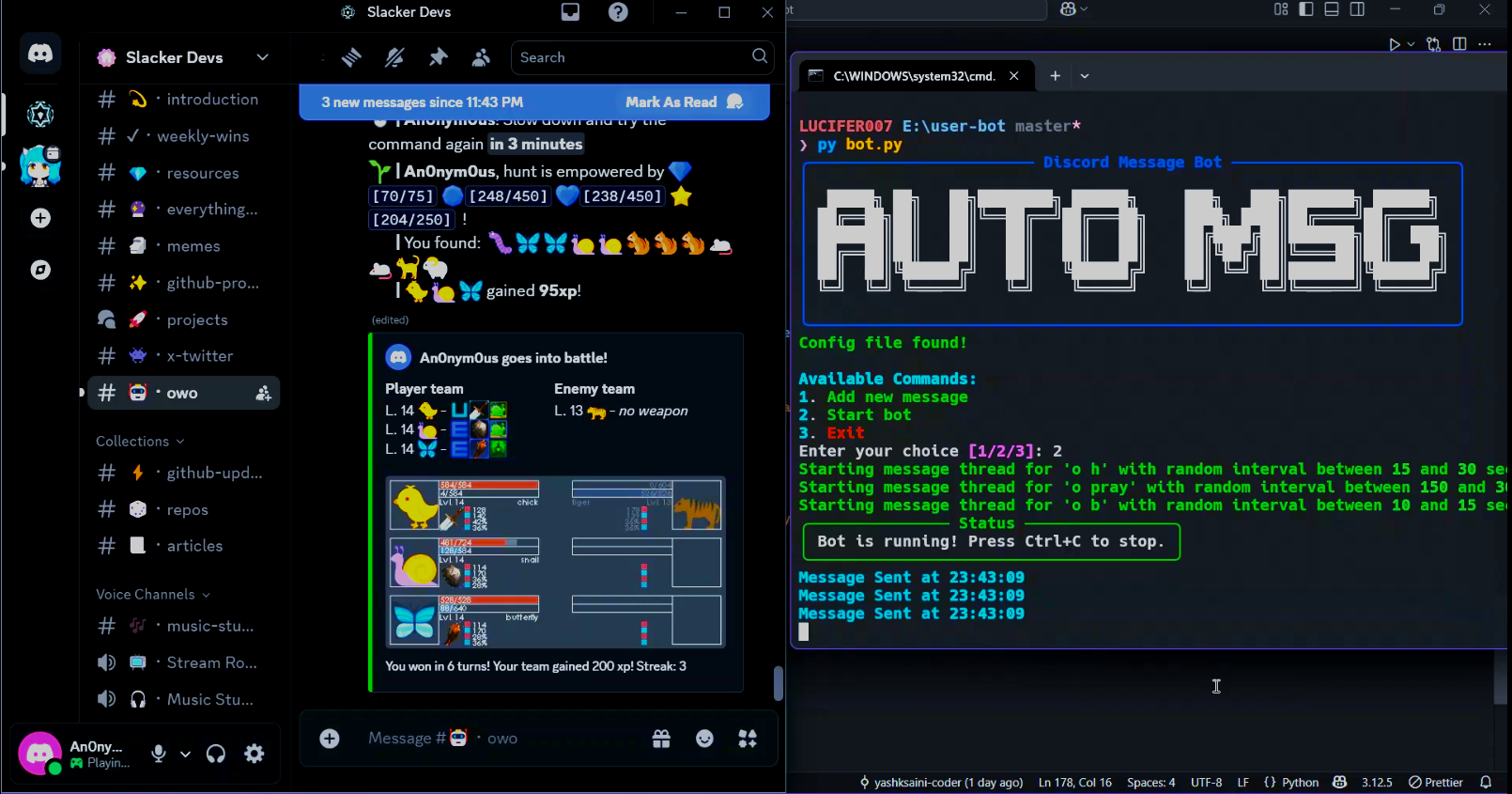
Automate Discord Messages
Weekend project to automate discord messages to cheat in Owo
Hi 👋 DEVs, in order to get my perspective and objectives of why I did this project and how I built this weekend project, let me first tell you about myself.
yashksaini-coder
I'm a person who is passionate about building things my way — retro, simple, and tools that can help me skip or automate basic tasks. I started my Open Source journey over 3 years ago. At first, I struggled with the basic commits, issues, and PR stuff. However, I loved the idea of all the open source projects, ideas, and resources widely available to learn and use.
I discovered Discord and joined many communities where I met and interacted with many Developers, each working on some project — either their own or someone else's.
✨ Why I Built this project ?
Recently, I was introduced to a fun gaming bot widely known as OWO where users can hunt, battle, gamble, complete quests, and build teams to battle among players. The main idea is to hunt and gather resources & animals to build and strengthen your team. Complete quests & gamble.
But, as I am lazy, I wasn't motivated enough to do this manually by typing. That’s when I thought: why not automate this using a Python program that can run locally and write messages to a certain channel using its ID? I began researching how to use the Discord API and send messages through it with a proper authorized token.
I wanted to send more than one message at proper intervals, so my activity wouldn't be flagged as suspicious or as a malicious bot. I came up with the idea to set custom minimum & maximum intervals for each message. Instead of hardcoding values, I used a simple JSON (JavaScript Object Notation) implementation for setting up user_token, channel_ID, and messages.
{
  "Config": [
    {
      "token": "your_token_here",
      "channel_id": "your_channel_id_here",
      "messages": [
        {
          "content": "Hello, this is a test message!",
          "min_interval": 5,
          "max_interval": 10
        },
        {
          "content": "This is another message.",
          "min_interval": 10,
          "max_interval": 15
        }
      ]
    }
  ]
}
😉 How I built this project ?
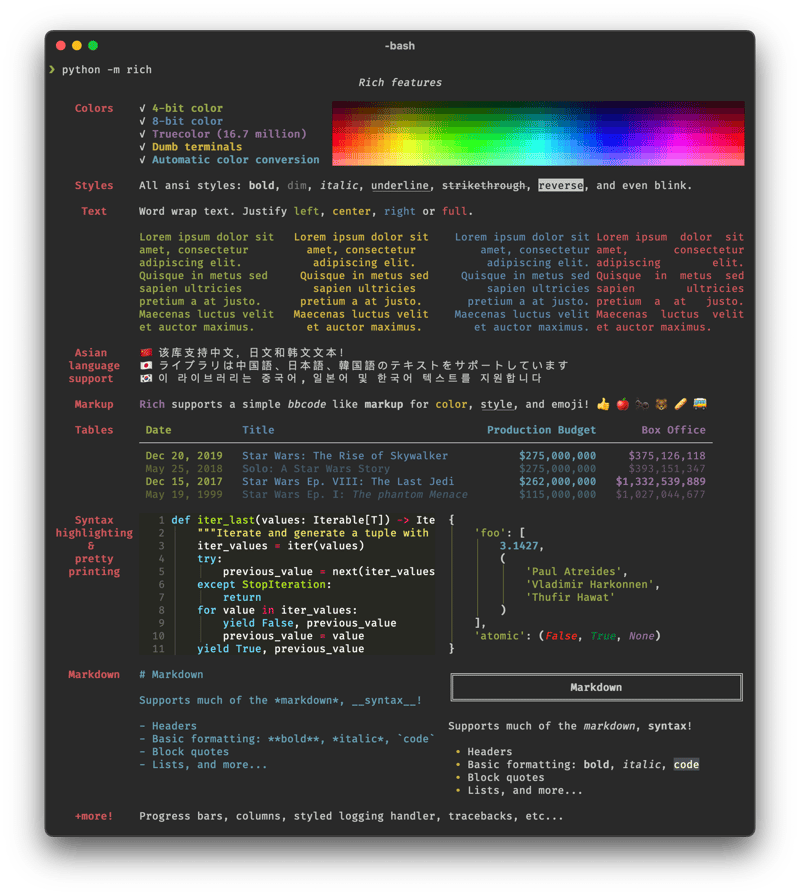
I built this project during the weekend, and I wanted to make it feel like a simple Retro Terminal tool like bagels or btop. I wrote code using Rich and Colorama to highlight the texts with a proper color palette. Then, I decided to use a loop to send messages using the Discord API with POST requests.
Oh! Almost forgot to mention this. Recently, I started building all my Python projects using—
UV
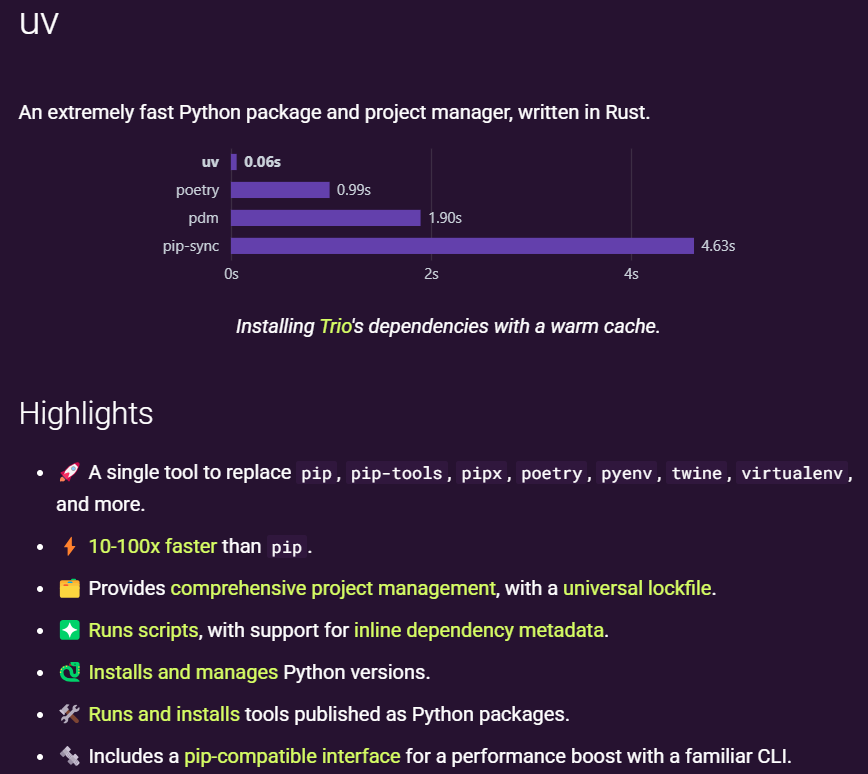
It's an extremely fast package and project manager written in Rust. Much better and faster to use than all the other alternatives: pip, pip-tools, pipx, poetry, pyenv, twine, virtualenv.
And to make the program feel more like a Terminal tool, I used:
⚡Key Features
-
Automated Message Sending: The bot sends messages to a specified Discord channel at random intervals within a defined range.
-
User-Friendly CLI Interface: Uses Typer and Rich for an interactive and visually appealing command-line experience.
-
JSON-Based Configuration: Stores user settings, including the Discord bot token, channel ID, and message configurations.
-
Multi-Threaded Execution: Each message runs in its own thread, ensuring asynchronous delivery without delays.
-
Graceful Shutdown Handling: Supports interruption via
Ctrl+Cwhile safely stopping all active threads. -
Logging & Error Handling: Implements structured logging using
rich.loggingand handles errors gracefully.
✨ Workflow Overview
The proper workflow that the script follows to allow users to automate messages can be visualized as follows:
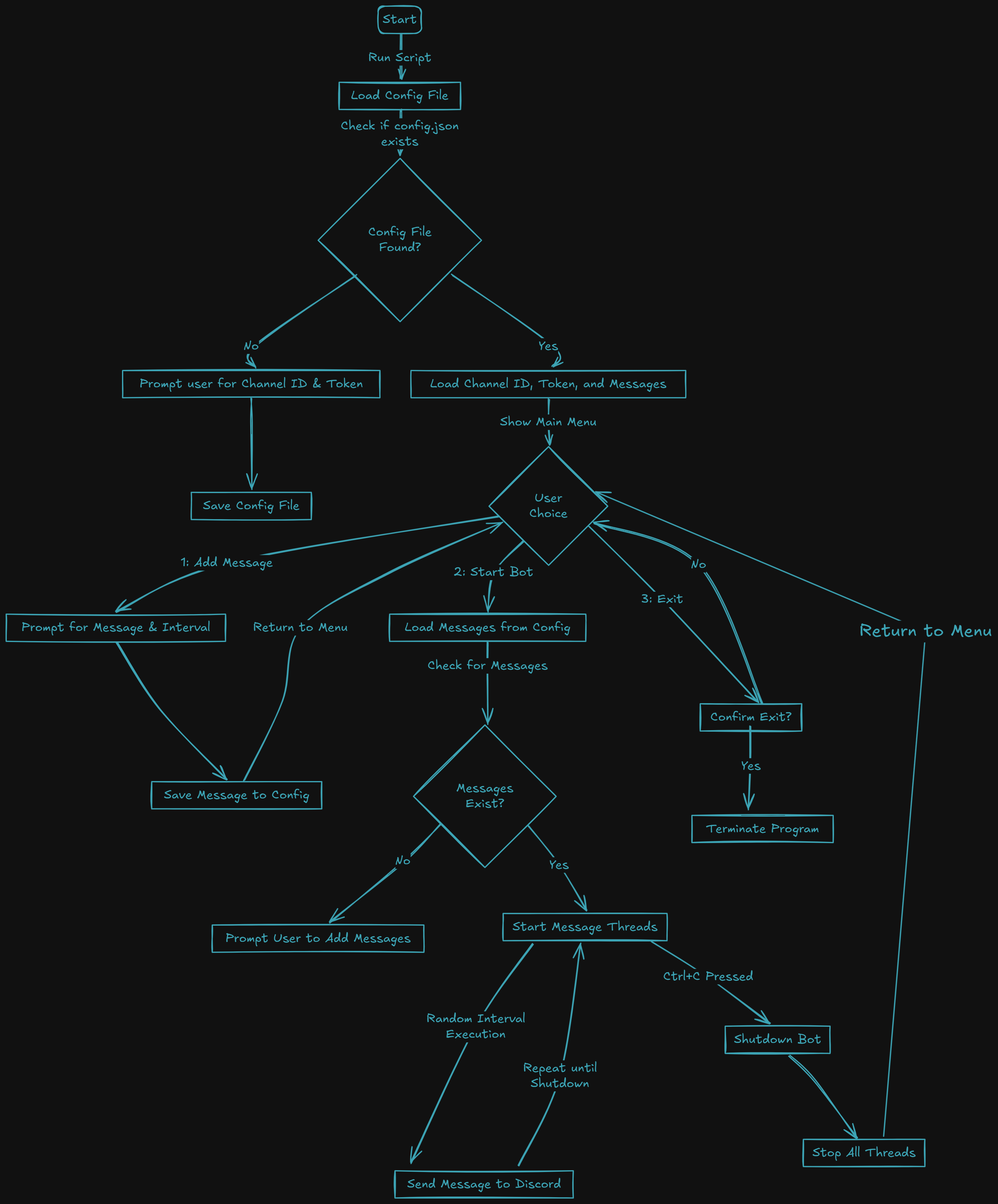
1. Configuration Setup
- On the first run, the script checks for
config.json. - If missing, it prompts the user to enter:
- Discord bot token
- Channel ID
- Saves this data in
config.json.
2. Adding Messages
- Users can add messages to be sent at specific intervals.
- Each message includes:
- Message content
- Minimum and maximum interval (in seconds)
- Messages are stored in
config.json.
3. Starting the Bot
- Loads settings from
config.json. - Spawns a separate thread for each message.
- Sends messages at random intervals.
- Logs each sent message with timestamps.
4. Shutting Down
- When interrupted (
Ctrl+C), the bot stops all threads. - Ensures a graceful shutdown without abrupt termination.
🤖 Project Repository
Although the project didn't take much time in the coding phase, the research and ideation phase took almost a day before I finalized a proper structure, design, and logic to build this project.
{% github yashksaini-coder/Auto-MSG-Discord %}
Here's 🎞️ a demo of me testing and running the bot live to automate sending messages on a particular channel on my own Discord server.
🌐Conclusion
This project was very fun and challenging. Instead of using large-scale Python libraries, I used simple logic and very basic libraries to automate and send messages to a widely used application, and the best part was seeing the code working as intended and designed: fulfilling its purpose, with a seamless, minimal, sleek UI design.