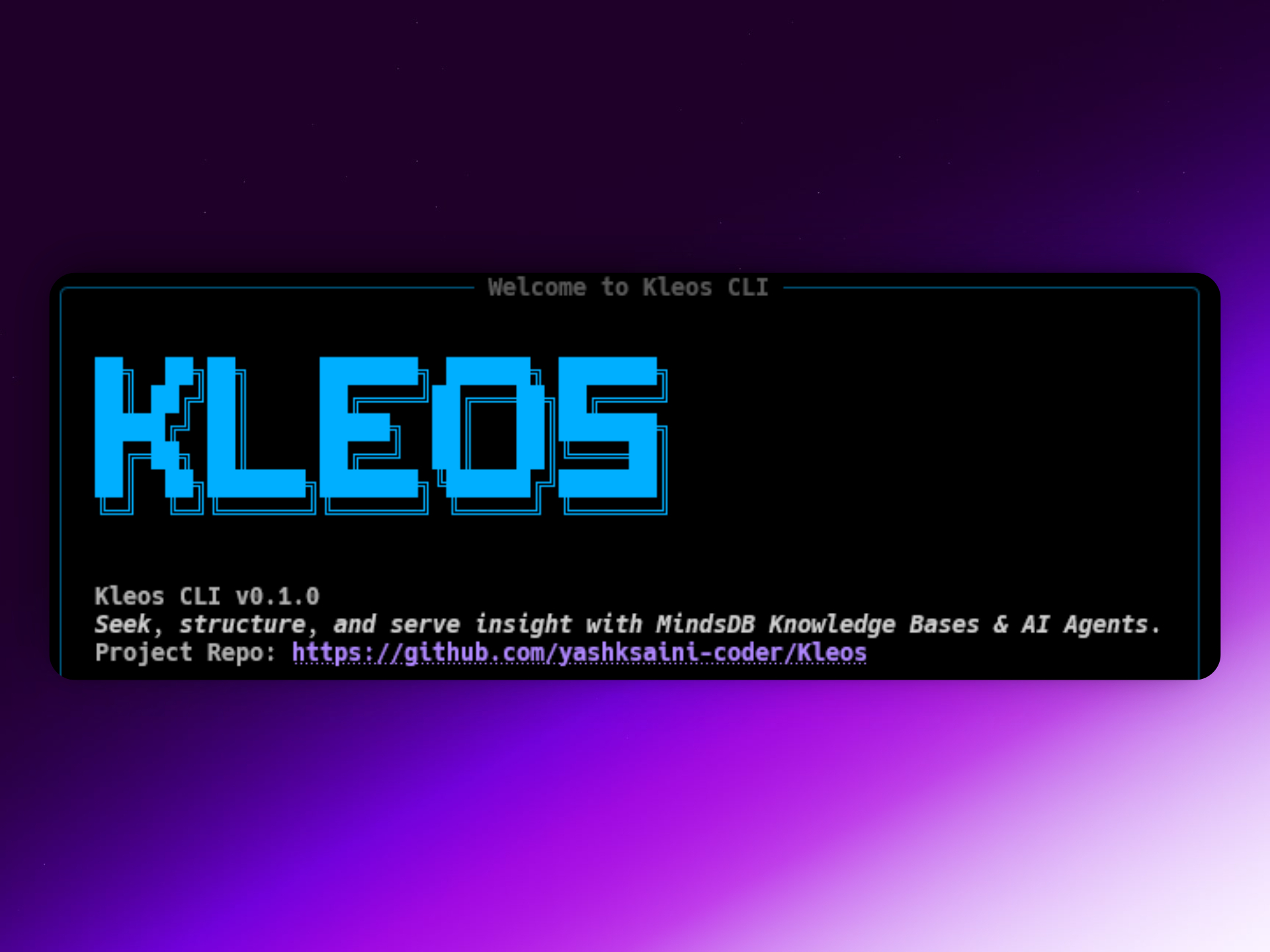
Kleos CLI: Supercharging the MindsDB Knowledge Base
An advance system to organize data based on meaning
In today’s rapidly evolving AI landscape, developers are inundated with ever-increasing volumes of unstructured data. Making sense of this complexity and streamlining workflows is no easy feat. Tools and frameworks are essential to keep up, yet managing different database sources, formats, and running queries can be tedious, time-consuming, and requires precision.
Enter the new Knowledge Base from MindsDB—an advanced system that organizes data based on meaning, not mere keyword or frequency matching.
Key innovations of MindsDB Knowledge Base:
- Organizes data by semantic meaning—not just keywords.
- Supports semantic search with context-aware retrieval.
- Integrates with diverse sources: databases, CSV, text, YouTube, Hackernews, and more.
- Employs embedding and re-ranking models using vector stores for rich context and relevant retrievals.
- Enables intelligent querying and meaningful data discovery.
{Video to be Add Here}
To make the power of MindsDB’s Knowledge Base and AI Agent features even more accessible, I built Kleos —a Python-based async command-line interface (CLI). Kleos, named from the Greek for “the enduring transmission of wise knowledge,” is your companion for leveraging the full potential of MindsDB Knowledge Base.
Every system has its purpose, or telos. Kleos fulfills MindsDB’s telos: helping you seek, organize, and serve insights through intelligent agents—all from your terminal.
This article is a walkthrough of Kleos CLI: key features, practical examples, and how MindsDB’s Knowledge Base and AI tools can serve you in building smarter applications.
Core Philosophy: SQL as the Language of AI
MindsDB’s core idea, embraced in Kleos, is that SQL should be the language of AI. With this approach, you don’t need to master heavy ML libraries or build custom MLOps workflows for most cases. Instead, you can:
- Connect to diverse data sources: Databases, SaaS, file stores, and more.
- Create AI Models: For classification, regression, forecasting, or even running LLMs for generative tasks.
- Build semantic Knowledge Bases: Enabling deep search over your text data.
- Deploy AI Agents: Marrying LLMs with your public/private data for advanced assistants.
- Query predictions & insights: As seamlessly as querying any other database.
All powered by SQL—with Kleos providing a streamlined, robust CLI built on Click and Rich for delightful command-line experiences.
What Can Kleos Do?
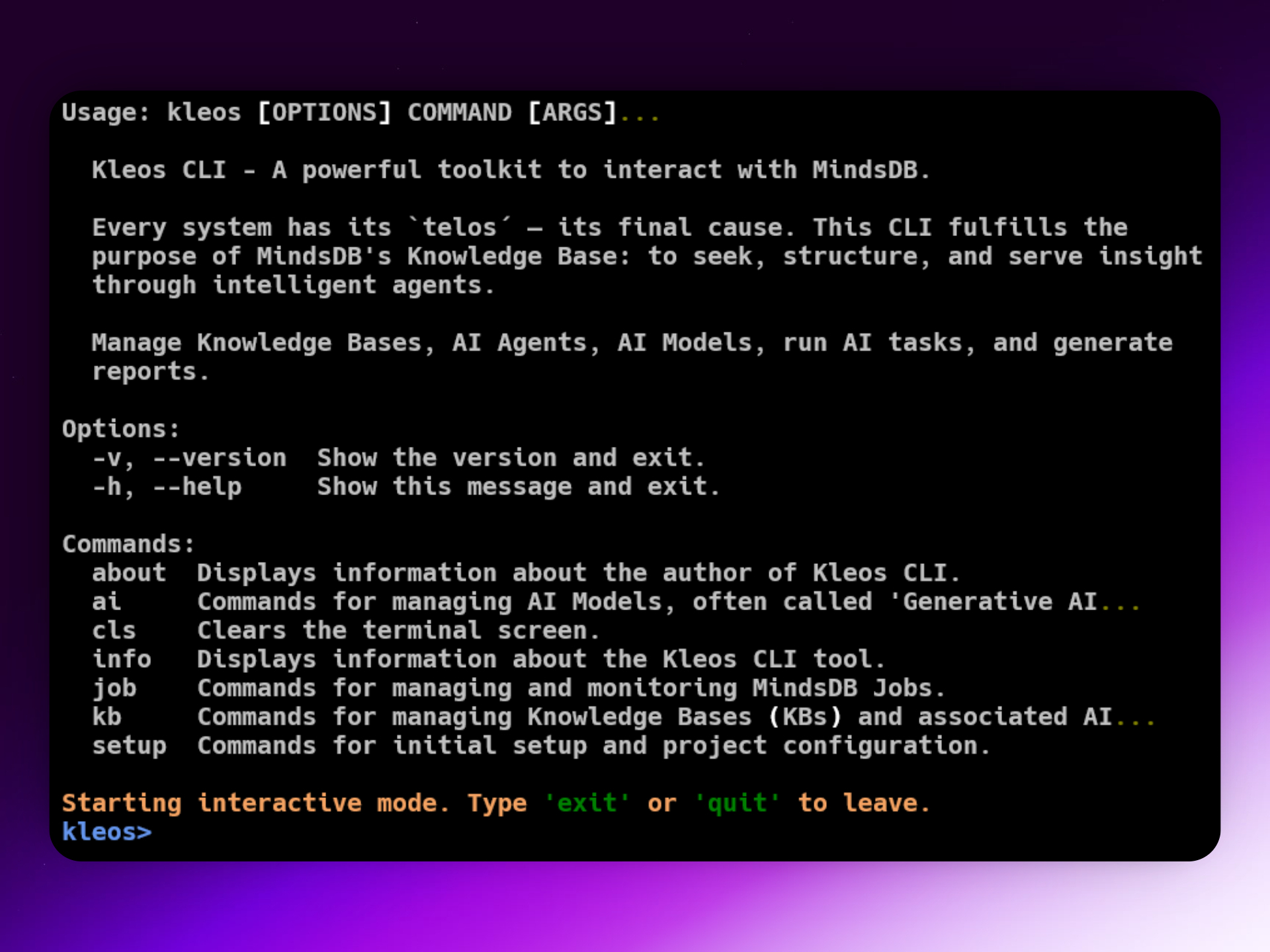
Key Features of Kleos & MindsDB
1. Seamless Setup (kleos setup)
Connecting MindsDB to your data sources is the first step. With Kleos, it’s quick and easy:
kleos setup hackernews --name my_hackernews_data
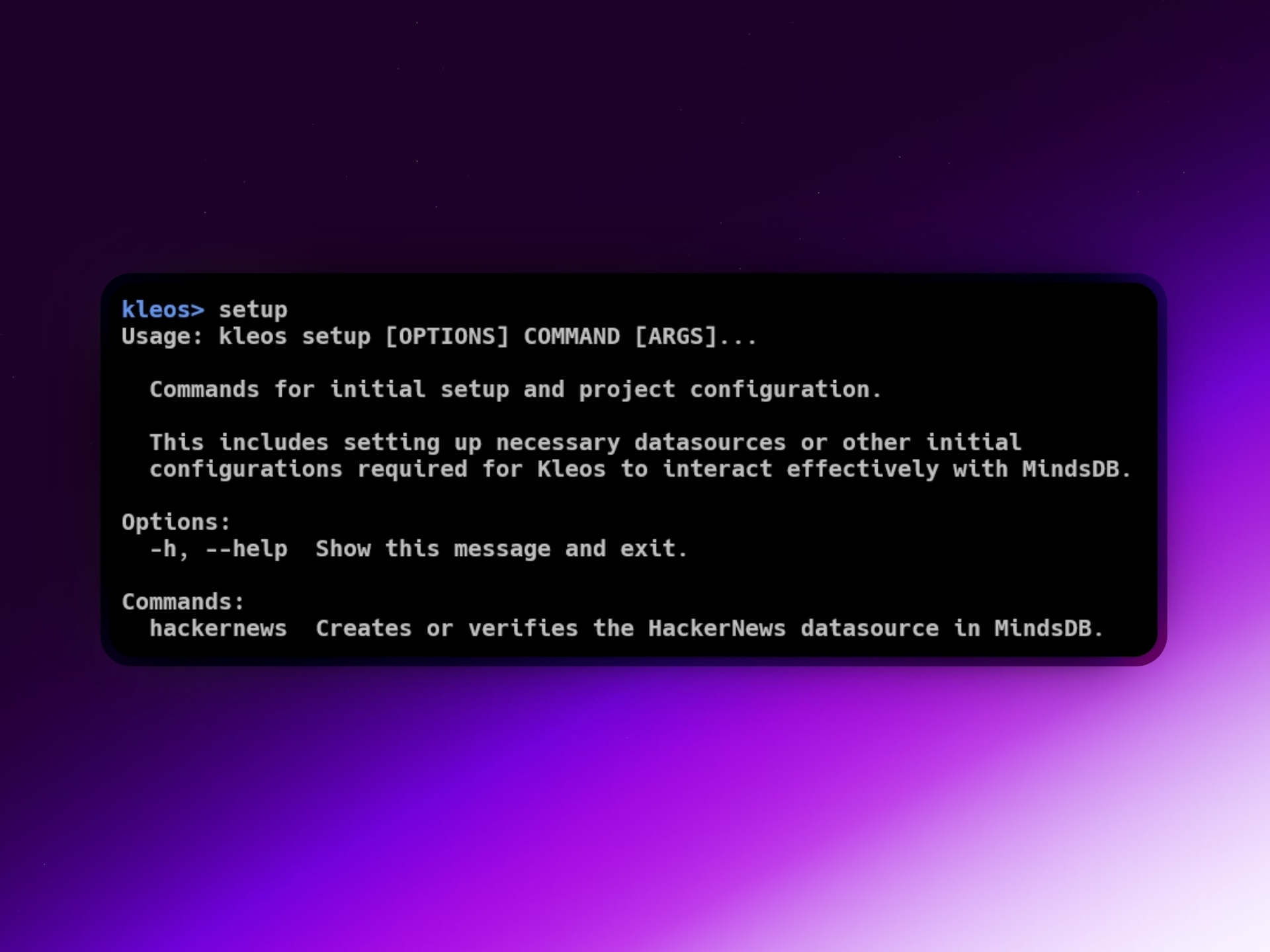
This command establishes a direct connection to HackerNews with the name my_hackernews_data, ensuring smooth integration for future commands—even automating setup if the datasource doesn’t already exist.
2. Knowledge Bases (KBs): The Heart of Kleos (kleos kb ...)
Kleos brings robust support for semantic Knowledge Bases, making it easy to embed and search vast text datasets.
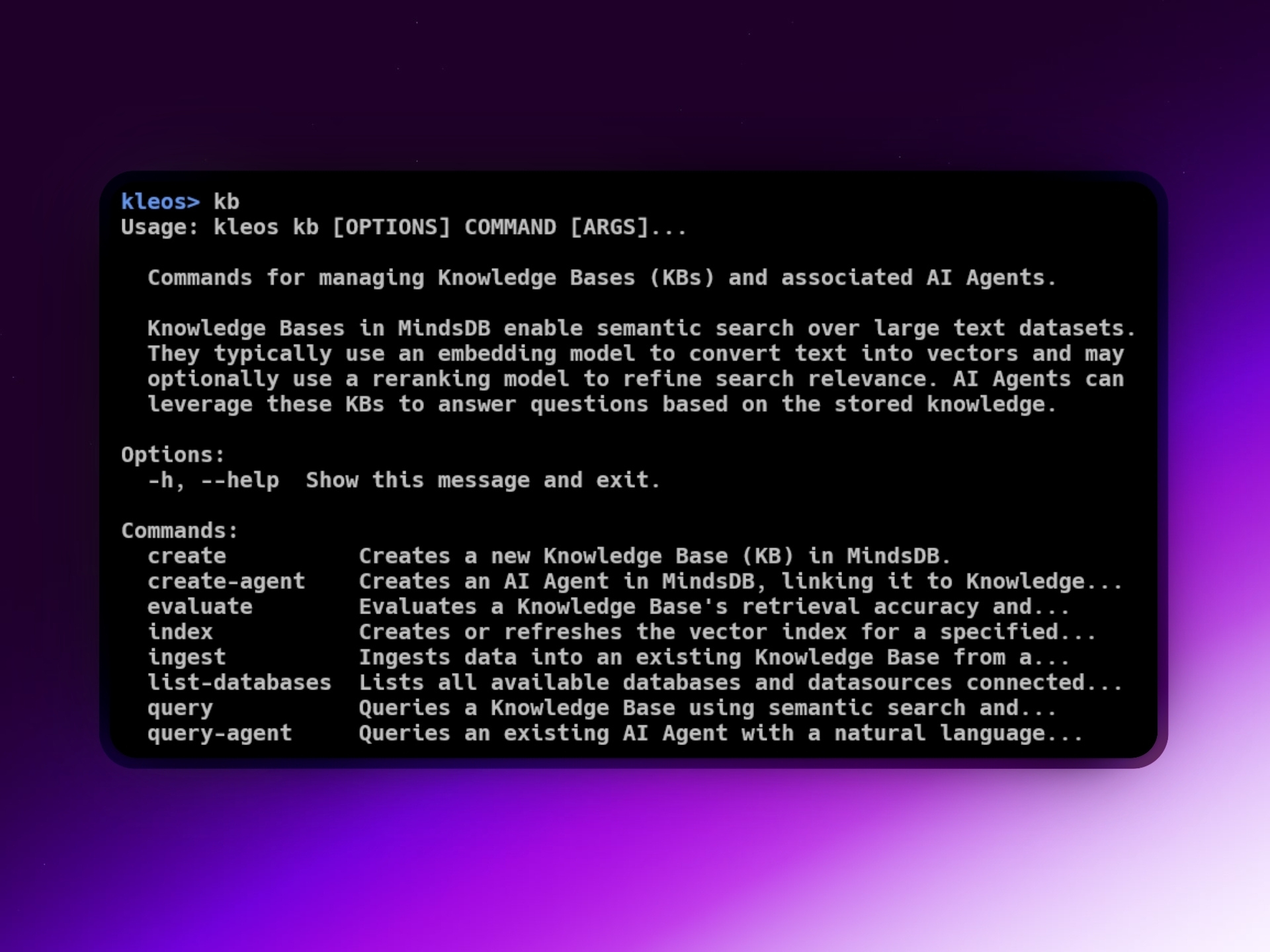
a. Creating Knowledge Bases
Specify embedding models, rerankers, providers (e.g., Ollama, Gemini):
kleos kb create gemini_ollama_kb \
  --embedding-provider ollama \
  --embedding-model nomic-embed-text \
  --reranking-provider gemini \
  --reranking-model gemini-2.0-flash \
  --google-api-key YOUR_GOOGLE_API_KEY \
  --content-columns "question,answer" \
  --metadata-columns "score"
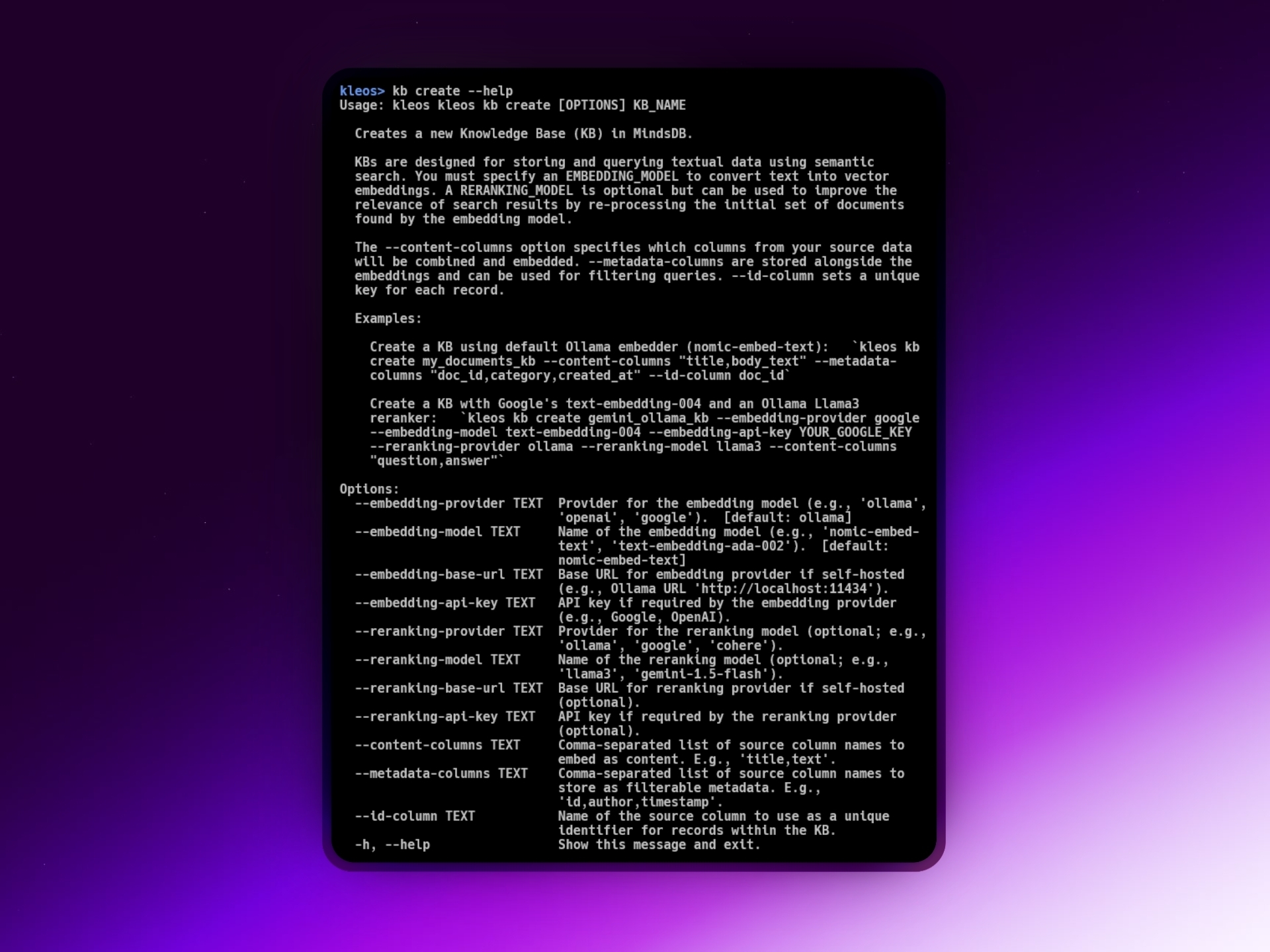
Kleos auto-generates the proper SQL and underlying configurations for your KB.
b. Ingesting Data
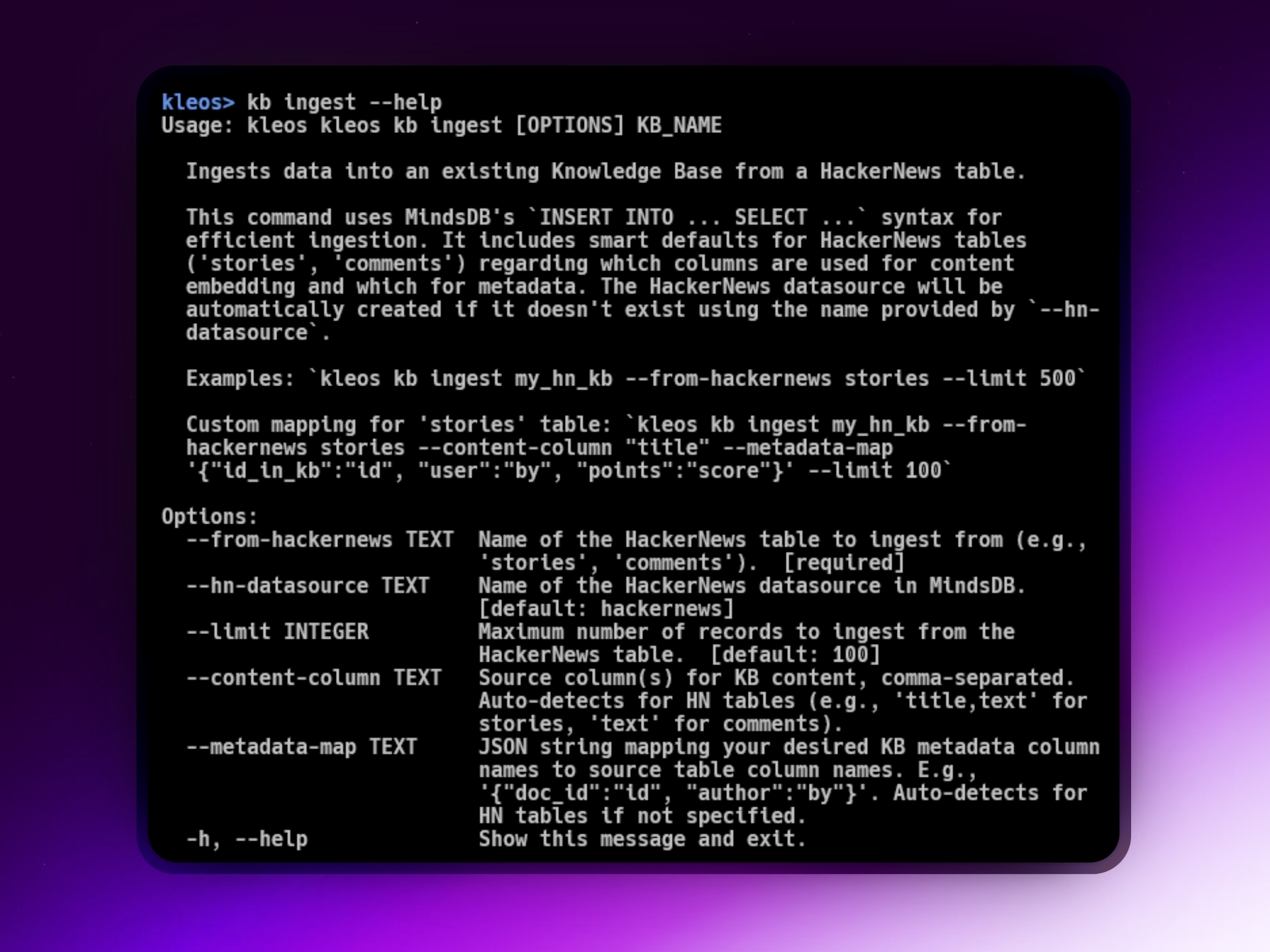
Kleos supports rapid data ingestion from sources like HackerNews:
kleos kb ingest my_hn_kb \
  --from-hackernews stories \
  --limit 100 \
  --hn-datasource my_hackernews_data
Or customize content and metadata columns:
kleos kb ingest my_custom_kb --from-hackernews comments \
  --hn-datasource my_hackernews_data \
  --content-column "text" \
  --metadata-map '{"comment_id":"id", "author":"by", "parent_story":"parent"}' \
  --limit 200
c. Semantic Search
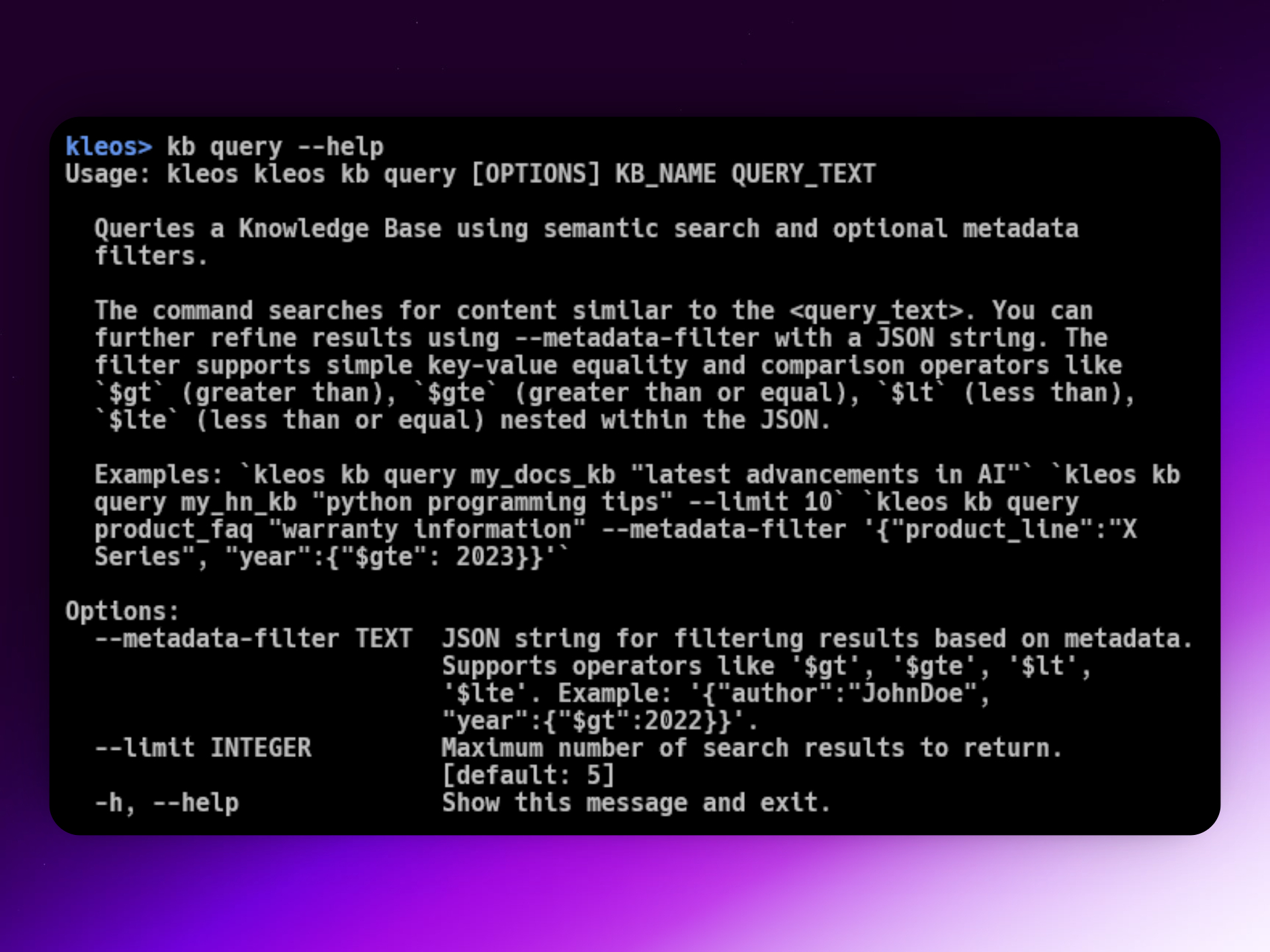
Kleos lets you query KBs semantically, with support for metadata filtering:
# Simple semantic search
kleos kb query my_docs_kb "recent breakthroughs in quantum computing"

# Search with metadata filtering
kleos kb query product_reviews_kb "positive feedback on model X" \
  --metadata-filter '{"rating":{"$gte": 4}, "verified_purchase":true}' \
  --limit 5
3. AI Agents: Intuitive Automation (kleos kb create-agent, kleos kb query-agent)
Kleos streamlines the process of deploying AI Agents—intelligent LLM-backed assistants that can draw on your KBs and database tables.
a. Creating Agents
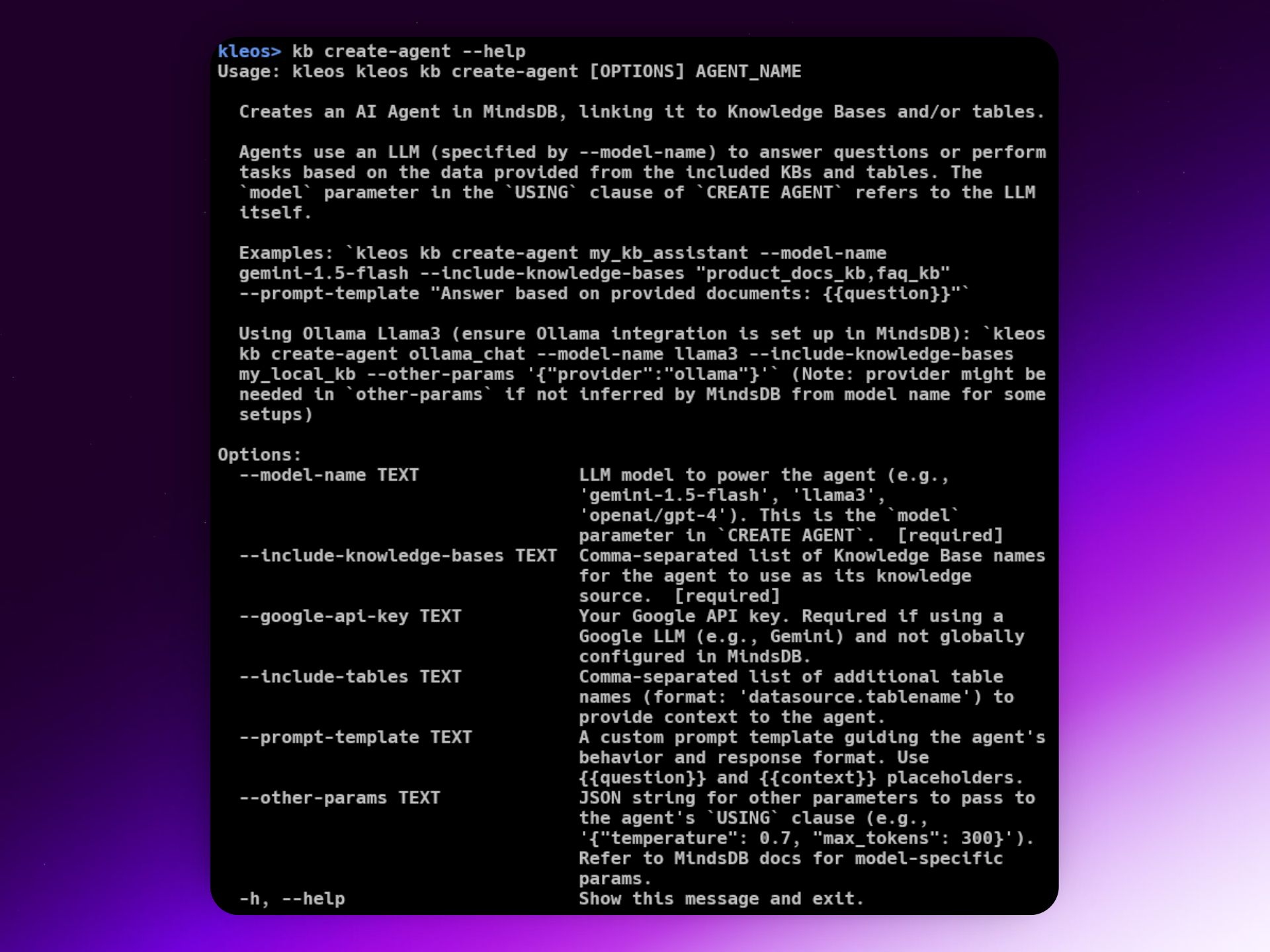
Define an agent, specify the LLM, and link one or more KBs:
kleos kb create-agent product_support_agent \
  --model-name gemini-2.0-flash \
  --google-api-key "GOOGLE_API_KEY" \
  --include-knowledge-bases "product_faq_kb" \
  --prompt-template "You are a helpful support agent. Answer the user's question based on the provided documents: {{question}}. Context: {{context}}"
b. Querying Agents
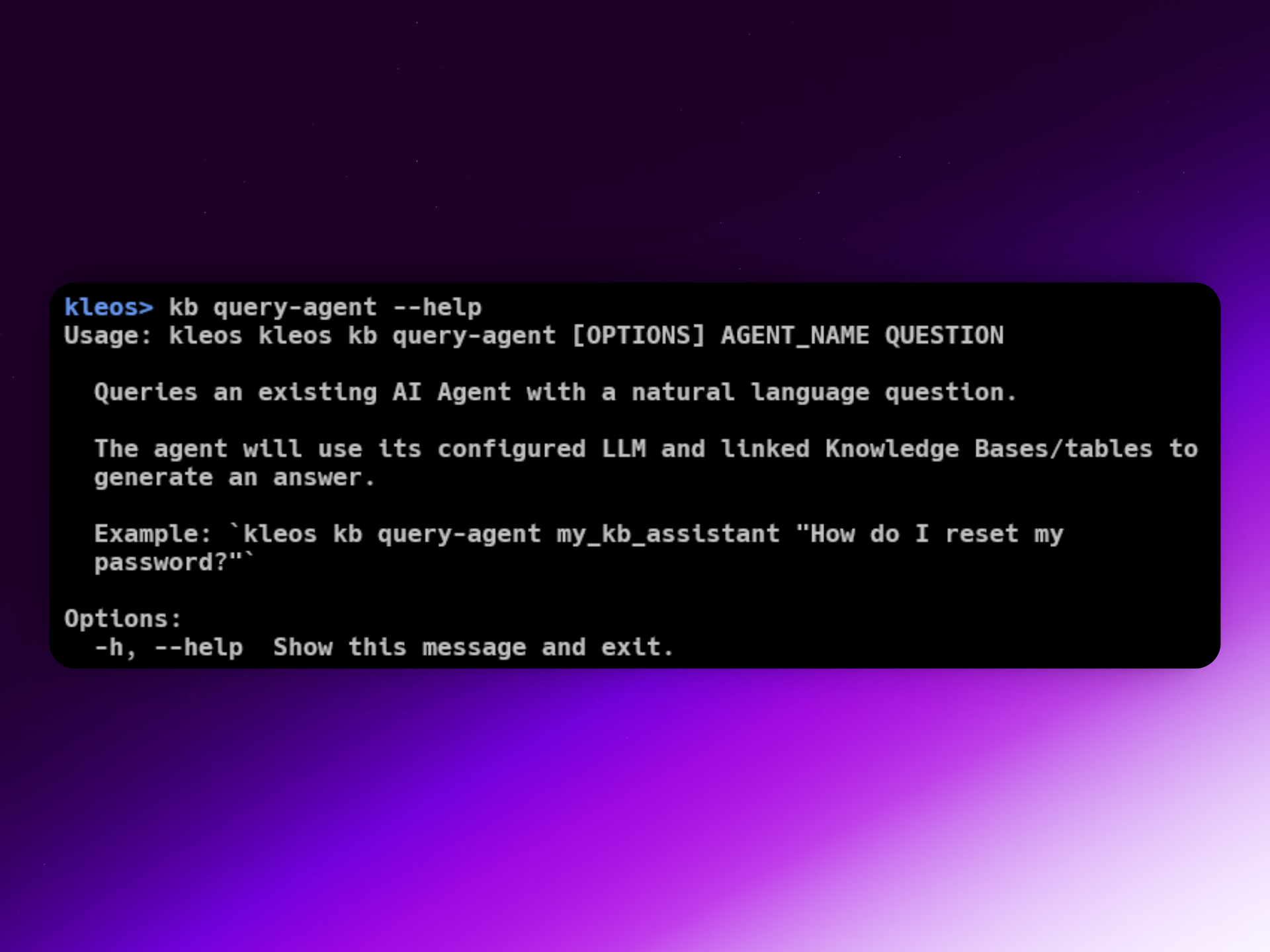
Interact using natural language:
kleos kb query-agent product_support_agent "What is the warranty period for model X?"
The agent combines LLM responses with contextual KB evidence.
4. AI Models: Generative AI Tables (kleos ai ...)
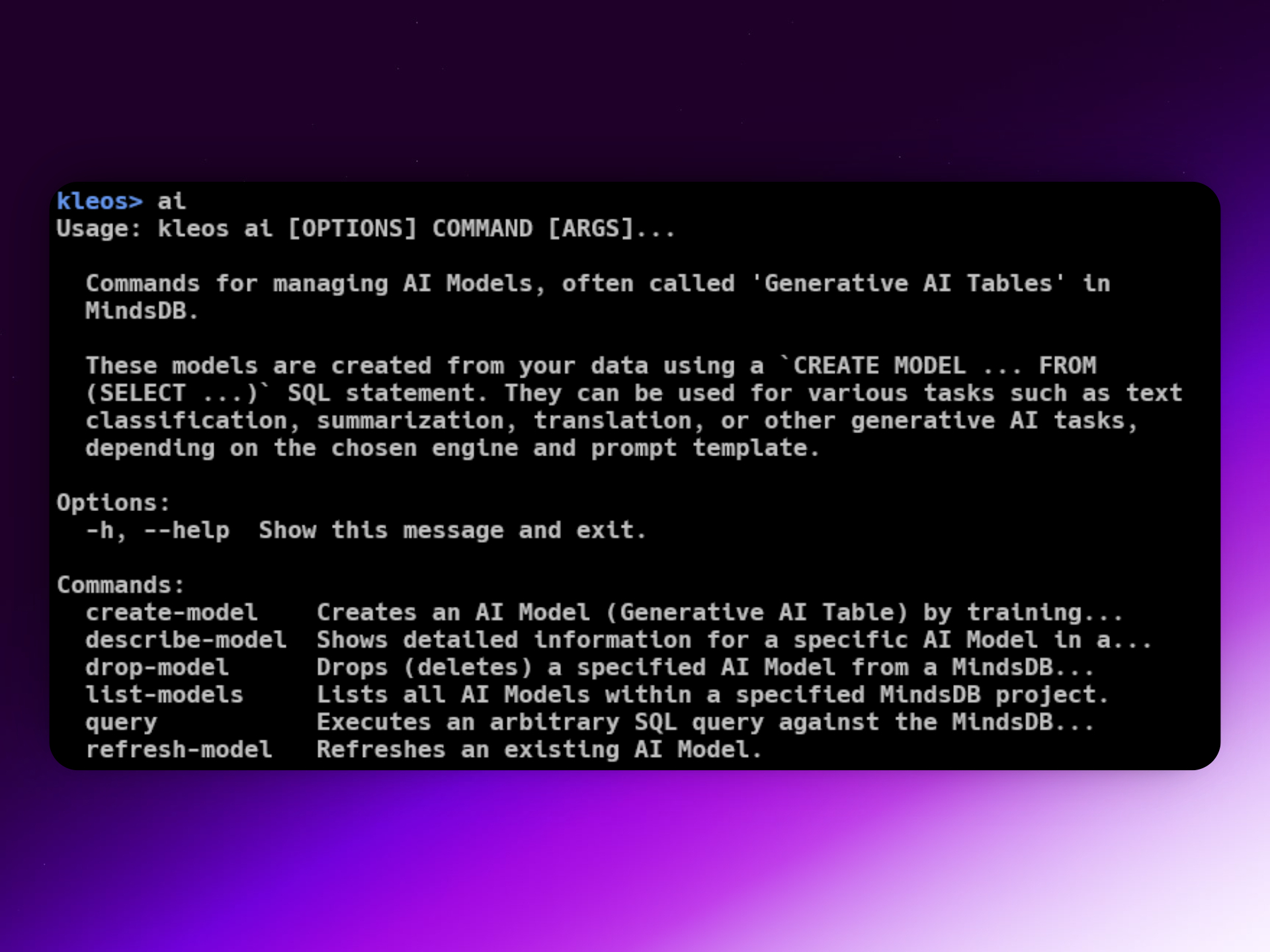
Train AI models using SQL and your data via Kleos.
a. Creating AI Models
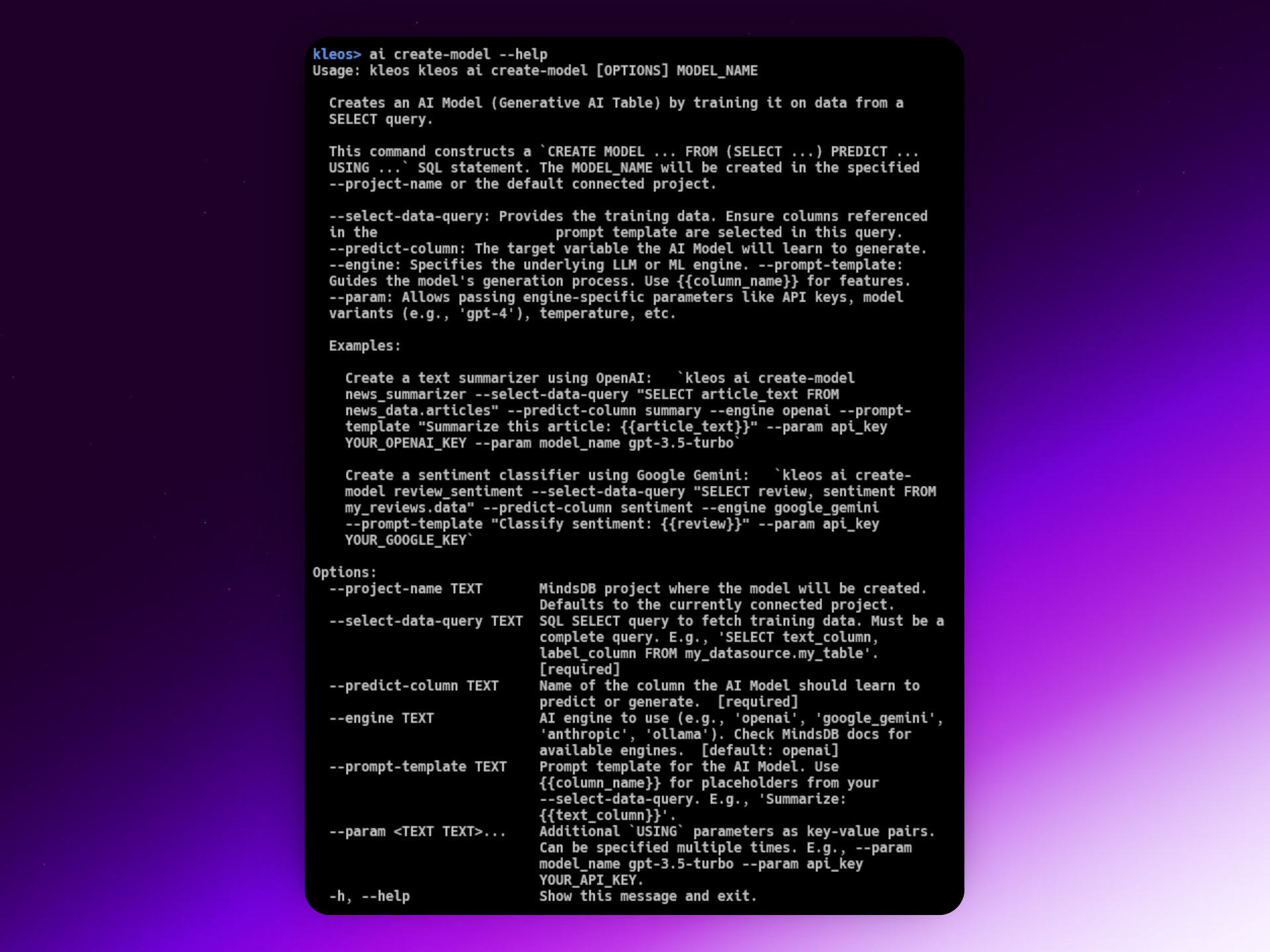
For example, to create a HackerNews title summarizer:
kleos ai create-model title_summarizer \
  --select-data-query "SELECT title AS original_title FROM my_hackernews_data.stories WHERE score > 50 LIMIT 100" \
  --predict-column title_summary \
  --engine google \
  --prompt-template "Generate a very short, catchy summary for this news title: {{original_title}}" \
  --param api_key YOUR_GOOGLE_API_KEY \
  --param model_name gemini-2.0-flash
Kleos makes listing, describing, refreshing, or dropping models simple.
5. Automation with MindsDB Jobs (kleos job ...)
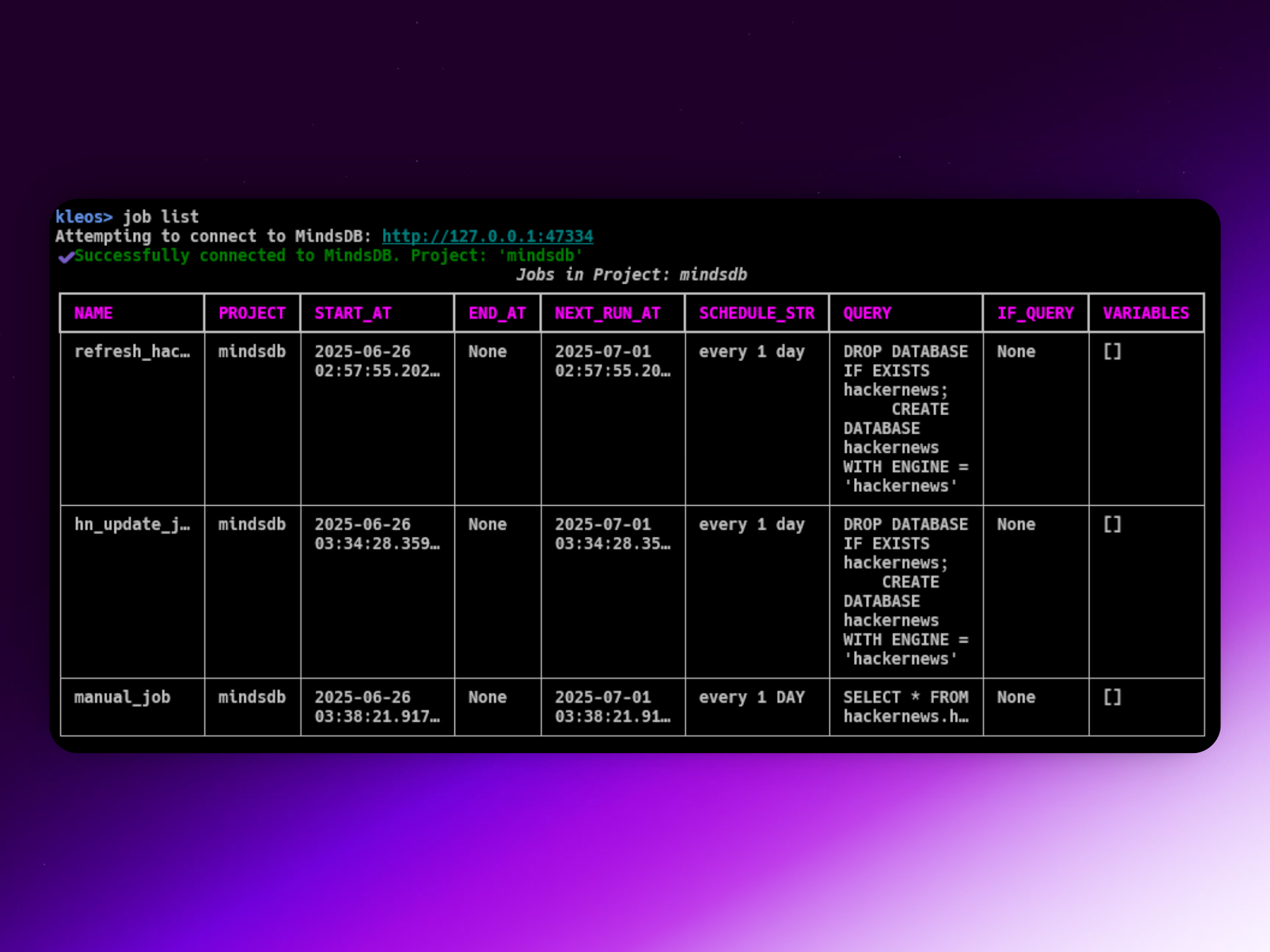
Let Kleos automate periodic jobs—data refresh, model training, and more.
a. Creating Jobs
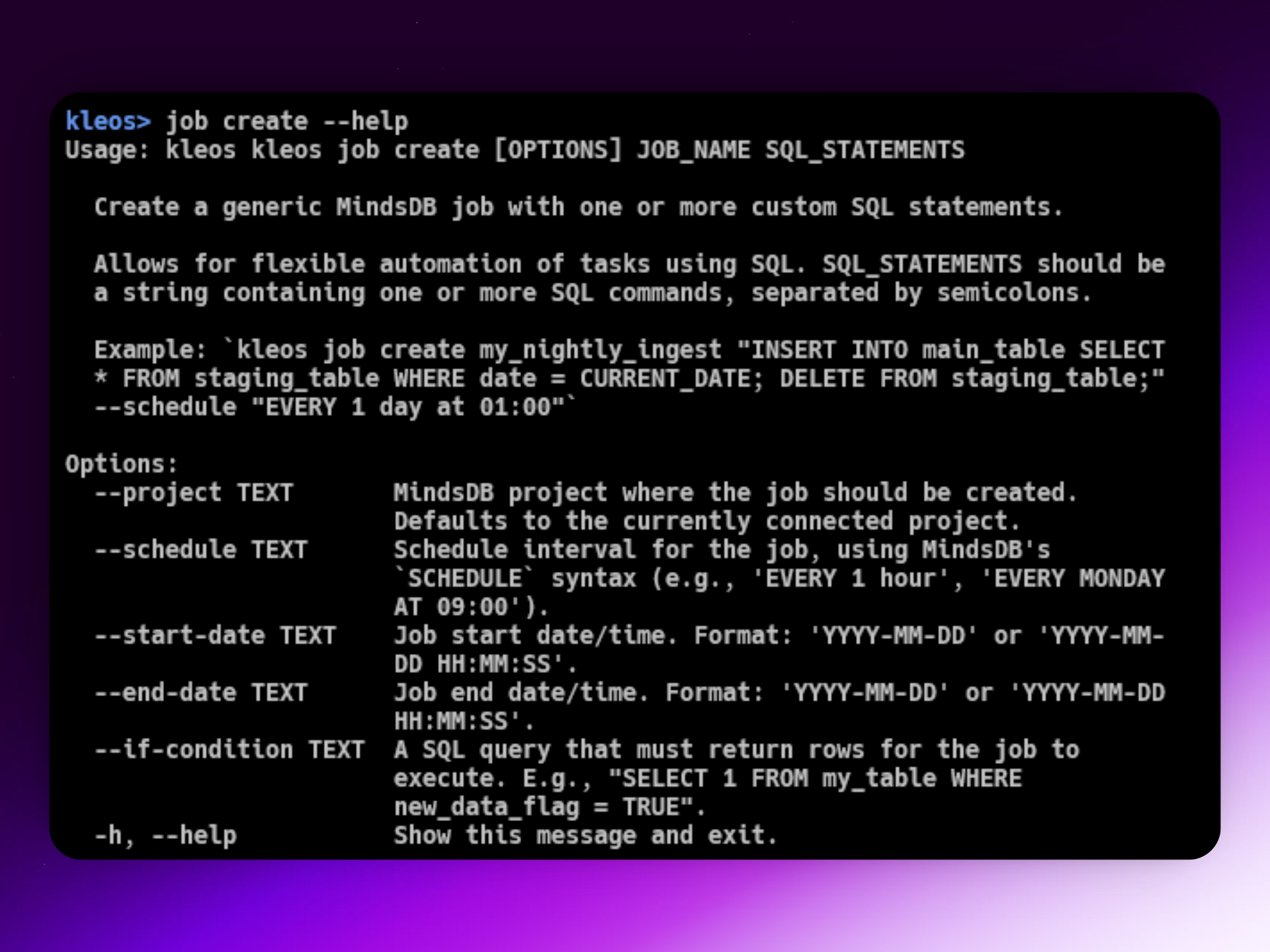
Automate HackerNews updates:
kleos job update-hn-refresh daily_hn_data_update --schedule "EVERY 1 day at 02:00"
Or create a custom job with arbitrary SQL:
kleos job create nightly_kb_update \
  "INSERT INTO my_kb SELECT new_text, new_metadata FROM new_data_source LATEST;" \
  --schedule "EVERY 1 day at 03:00"
Monitor, list, and manage jobs—all via Kleos.
Why It Matters: The Power of In-Database AI & Kleos
Being able to run sophisticated ML/AI workflows entirely inside your database—using only SQL—changes the game:
- Democratizes AI: Lowers barriers of entry for teams and individuals.
- Streamlines Workflows: Data, logic, intelligence—all live in one place.
- Empowers Builders: Rapid prototyping and automation, no heavy ML code required.
Kleos CLI amplifies these benefits:
- Accessible: User-friendly CLI unlocks MindsDB’s advanced capabilities.
- Productive: Manage KBs, agents, automation, and more—fast.
- Experimental: Great for tinkering, prototyping, or running in production.
Whether you’re building Retrieval Augmented Generation (RAG) apps, AI SaaS, agent workflows, custom chatbots, automating insights, or just exploring what’s possible—Kleos and MindsDB are a compelling combo.
Try, Contribute, Explore
Kleos CLI is open-source—your feedback and contributions are warmly welcomed!
- GitHub: yashksaini-coder/Kleos
- Install:
- Clone the repo and run:
pip install . - Or (coming soon):
pip install Kleos
- Clone the repo and run:
- Docs: Learn more about MindsDB Knowledge Base
Currently, Kleos depends on the MindsDB Docker extension and Gemini as the LLM provider, but this is just the beginning. Expect richer interactivity, more detailed reporting, and broader MindsDB support in the near future.
Thank you for reading! Building Kleos was a labor of love, research, all-nighters, and snacks.
Support development: Sponsor on GitHub or ⭐️ the Kleos repo.
Upvote Kleos on Peerlist if you’d like!